
You pick up your phone and the back of it feels like a hand warmer. Maybe it happened halfway through a game. Maybe it was sitting in your pocket, screen off, doing nothing at all. Either way the question lands the same: why is my phone overheating, and should I be worried?
Start with the honest bit. Phones get warm, and warm is fine. A phone has no fan and no vents. Everything it does, from running the processor to charging the battery, produces heat, and the only way out is through that thin glass and metal body. So a phone that feels warm during a video call or a fast charge is not broken. It is doing physics.
Overheating is the step beyond that. The phone gets uncomfortable to hold. It slows down, dims its own screen, charges slowly or not at all, or throws up a temperature warning. That behaviour is the phone protecting itself, and when it happens regularly, something specific is causing it. This guide finds that something in a deliberate order: two minutes of detective work first, because when your phone heats up and where you feel the heat usually point straight at the cause, then the fixes ranked from most likely to last resort.
How Hot Is Too Hot?
Both Apple and Samsung design their phones to be used where the air temperature sits between 0 and 35 °C (32 and 95 °F). Inside that range, the phone can shed heat as fast as it makes it. Outside it, especially in a hot car or direct sun, it starts losing the fight before you even touch it.
You do not need a thermometer to judge your own phone. If you can hold it comfortably, it is warm and almost certainly fine. If holding it is unpleasant, or it stays hot long after you stop using it, treat that as overheating.
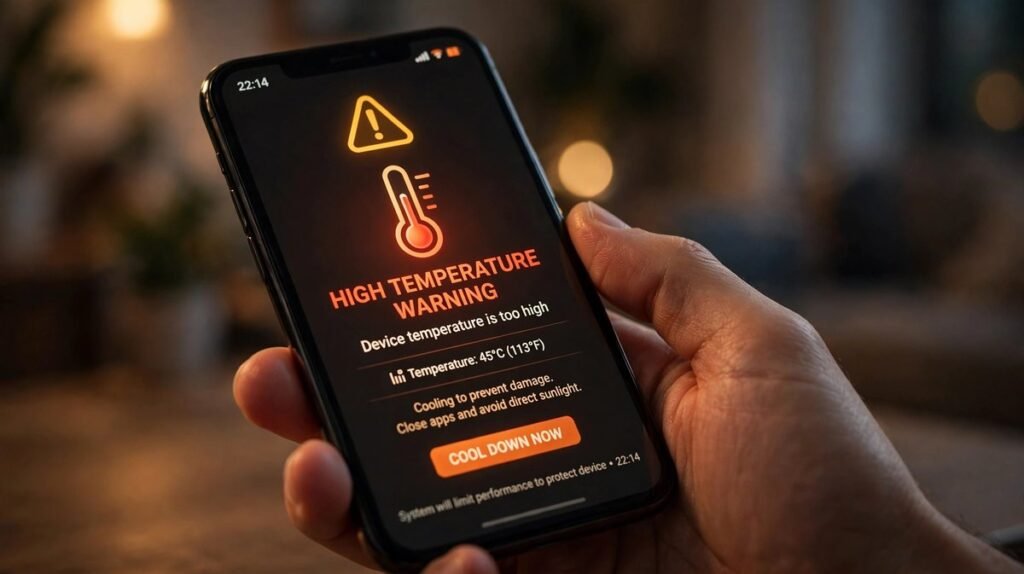
As the internal temperature climbs, the phone defends itself in stages: the processor slows down, the screen dims, charging slows or pauses, the camera flash switches off, and if none of that is enough, you get the full temperature warning screen or a shutdown. It is worth knowing that a phone that suddenly feels slow is often a hot phone mid-defence, which is why heat shows up as a hidden cause in our guide to why your phone is so slow. Apple walks through the same staged response on its support page about iPhone temperature, and Samsung describes the equivalent warnings and limits in its guide to keeping a Galaxy at its normal operating temperature.
If you want a number instead of a feeling, Android users can see the actual battery temperature in a hardware app such as AIDA64 or CPU-Z, and Samsung owners can run diagnostics in the Samsung Members app. As a rough guide, a battery sitting between about 30 and 40 °C during use is unremarkable. Readings that push past 45 °C, or that stay high while the phone does nothing, are not. iPhones offer no temperature readout at all, so on an iPhone the warning screen and the behaviours above are your gauge.
Start With the Pattern: When Does It Get Hot?
Before you change a single setting, answer one question: when does it happen? The pattern narrows the cause list faster than any fix.
Only while charging: suspect the charger, the cable, or how and where you charge. Jump to the charging cause below.
Only when you are not using it: something is working while the screen is off: background sync, a stuck process, or the radios fighting a weak signal.
Only in certain places: a basement office, one end of the house, a train route. That pattern points at signal hunting, not at your apps.
Only since an update: the phone is probably still finishing the update’s background work. This usually settles within a few days.
Only in one app or one game: that app is the load. The fix lives with the app, not the whole phone.
All the time, whatever you do: put battery health at the top of the list and read the aging battery section below.
Keep your pattern in mind through the causes. It is the difference between fixing the phone in ten minutes and spending an evening trying fixes that were never going to work.
Where Is the Heat? Let the Location Talk
Here is the check almost no guide bothers with, and it takes five seconds. Hold the phone and notice where the heat actually is.
Across the back, worst in the middle: that is where the battery lives. The battery is either working very hard or getting old.
Up top, around the camera: that is processor and graphics territory. Games, the camera itself, navigation, and video calls heat this corner first.
Along the bottom edge, while charging: the charging circuit, the port, or the cable and charger are the suspects.
Everywhere at once, evenly, on a hot day: that is the environment. A phone cannot dump heat into air that is already hotter than it is.
This sounds almost too simple, but skipping it is how people end up replacing chargers when the battery is dying, or deleting apps one by one when the real problem is the signal in their office.
The Main Causes, Explained
Hard work: games, camera, navigation, video
The processor and graphics chip are the phone’s engines, and heavy jobs run them flat out. A 3D game, a long 4K video recording, turn-by-turn navigation with the screen on, or a group video call can all push the surface temperature up within minutes. This is the most normal heat there is. It becomes a problem only when the phone cannot recover afterwards, or when light jobs start producing the same heat.
Background load and the one rogue app
Swiping an app away does not always stop it. Social apps refresh feeds, cloud apps upload photos, weather apps poll your location, and occasionally one app gets stuck in a loop and quietly eats processor time for hours. The giveaway is heat with the screen off, or heat that started around the time one particular app arrived or updated.
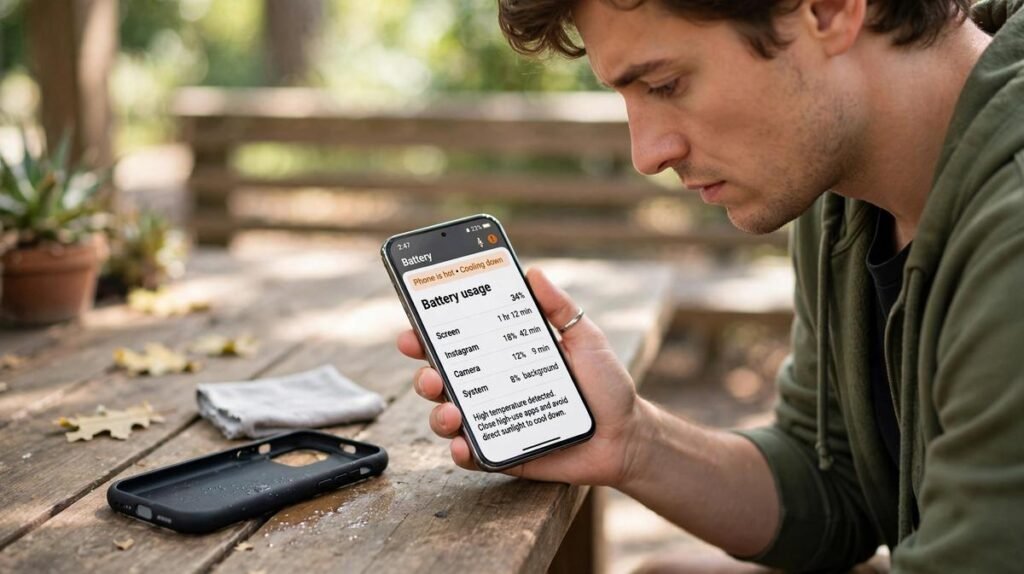
Your battery screen is the detective here. On Android it is Settings > Battery, on iPhone Settings > Battery. Look for an app near the top of the list that you barely opened, or one showing heavy background activity. That mismatch, lots of power, little use, is your culprit more often than not.
Weak signal
When coverage is poor, your phone boosts power to its radios and keeps retrying the connection, and radios working at full power make real heat. This is why phones cook in pockets in low-signal buildings, in lifts, and on rural drives, often while doing nothing visible at all. If your pattern was “only in certain places”, this is almost certainly your cause.
Charging heat
Charging makes heat by itself, and fast charging and wireless charging make more of it. Add a cheap or damaged charger or cable, a thick case, a phone resting on a bed or sofa where heat cannot escape, and you using it heavily at the same time, and the temperatures stack up quickly. If your phone heats up on the charger even when it is just sitting there untouched, that narrower fault has its own dedicated guide: phone overheating while charging, not in use.
Sun, hot rooms, and the case
A phone left on a car dashboard or a sunny windowsill can overheat while switched off, and a phone used outdoors on a hot day starts every task already warm. Cases matter too: a thick rubber or leather case insulates exactly the surface the phone uses to cool itself, so a phone that is fine bare can overheat dressed.
The update hangover
A big system update sets off days of housekeeping: re-indexing photos and files, re-optimising apps, rebuilding caches. During that window the phone can run warm and drain faster, and it is busy rather than broken. Setting up a new phone or restoring a backup does the same thing for the same reason. Judge it after about three days, not three hours.
An aging battery, and the heat spiral
Batteries wear out, and a worn battery wastes more energy as heat while delivering less of it as power. Here is the part most guides leave out: heat and battery wear feed each other. Heat ages a battery faster, and an aged battery runs hotter and drains quicker, which means more charging, which means more heat. It is also why overheating and rapid drain so often arrive as a pair, a connection we dig into in our guide to why your phone battery is draining so fast. If your phone is a few years old, gets hot doing things it used to shrug off, and the battery percentage slides faster than it did, the battery itself is the likely root cause, and no setting will fix it.
The rare one: malicious apps
It is uncommon, but it belongs on the list. An app doing something hidden and heavy, mining cryptocurrency or constantly uploading data, can keep a phone hot for no visible reason. If you have unexplained heat and drain together, plus apps you do not remember installing, remove the strangers, and only install apps from the official store afterwards.
Fix It: The Steps, in the Right Order
Work through these in order and stop when the heat pattern breaks. Most overheating phones are sorted by step five. The drastic options sit at the end, where they belong.
- Stop, unplug, and move it somewhere cooler. Put the phone down on a hard, flat surface out of the sun. If it is charging, unplug it. If you are mid-game or mid-navigation, close the app. Heat made by work stops the moment the work stops, so give it a few minutes before judging anything else.
- Take the case off. This is the fastest cooling help there is. A case traps heat against the exact surface the phone uses to shed it, and removing it can be the whole fix for a phone that only overheats in its case.
- Cut the radios and the screen. Turn on Airplane mode for a few minutes to stop the signal hunting, and drop the brightness. The screen and the radios are two of the biggest heat sources in the phone, and this step removes both at once.
- Restart it. A stuck process does not survive a restart. If the phone comes back cool and stays cool, the cause was software having a bad day, and you have probably already fixed it.
- Find the hungry app. Open Settings > Battery and look at the usage list. An app near the top that you barely used is the prime suspect. Update it first, because a buggy version is a common cause. If it is already current, restrict its background activity (on Android, Settings > Apps > the app > Battery > Restricted) or uninstall it for a day and watch whether the heat goes with it.
- Swap-test the charger and cable. If your pattern was heat while charging, charge once with the charger and cable that came with the phone, or a certified replacement, on a hard surface with the case off. If the heat vanishes, your old charger, cable, or charging setup was the fault. Prefer a cable over wireless charging while you test, because wireless runs warmer by design.
- Update the phone and all your apps. Heat bugs get patched quietly. Check Settings > Software update (Android) or Settings > General > Software Update (iPhone), and update everything in your app store too, then give it a day. Remember the update hangover: a phone can run warm while a fresh update finishes its background work, and that warmth is temporary.
- Do the retest. Let the phone cool completely, then use it normally, and if charging is your pattern, charge it for 15 minutes with the screen off. A phone that stays comfortable was suffering a one-off load or a bug you have cleared. A phone that climbs back to uncomfortable quickly, doing something light, still has a fault, and the remaining steps are about finding it.
- Try Safe mode (Android only). Safe mode runs the phone with only its built-in apps. If it stays cool there and heats up in normal mode, a downloaded app is guilty even if the battery screen did not name it. Restart back to normal mode and remove recently installed or updated apps one at a time until the heat stops.
- Factory reset, last resort. Back up everything first, because a reset erases the phone. If a freshly reset phone with nothing extra installed still overheats doing light work, stop troubleshooting software. That is a hardware fault, usually the battery, and it belongs in front of a repair technician.
Cooling Mistakes That Make Things Worse
A hot phone tempts people into quick, dramatic cooling. Resist these three.
The fridge or freezer. Never. The sudden temperature swing stresses everything inside the phone, and worse, warm air meeting cold surfaces creates condensation, moisture inside a phone that was never wet. Cool it at room temperature, in shade, with air moving if you like. Slow is safe.
Cooler and cleaner apps. No app can cool hardware. At best these apps close recent apps, which your phone already manages on its own. At worst they are adware that runs constantly in the background, adding the very load and heat you are trying to remove. Uninstall any you have.
Pushing through it. Gaming on, charger in, warning on screen, because you want to finish something first. Every minute at high temperature costs the battery a little of its life, and the phone is slowing itself down anyway, so you get worse performance for more damage. Stop, cool it, then continue.
When to Worry: The Signs It Is a Repair Shop Problem
Most overheating is a nuisance. This short list is different. Treat any of these as stop-using-it signs, not try-one-more-fix signs.
- The back of the phone is bulging, the screen is lifting at one edge, or the case no longer sits flat. That is a swelling battery.
- A sweet or chemical smell from the phone, any hissing, or smoke.
- Heat so strong the phone is genuinely uncomfortable or painful to hold.
- The phone will not cool down after half an hour switched off and unplugged.
- Temperature warnings or shutdowns happening daily, during light use like messages or browsing.
- Heat arriving together with the battery percentage dropping in sudden chunks.
A swollen battery gets its own rules, because it is the one phone fault that can turn into a fire. Stop using the phone and unplug it. Do not press on the bulge, bend the phone, puncture it, or try to open it. Do not charge it again, and keep it somewhere hard and non-flammable, away from bedding and paper, until you can take it to a repair shop or the manufacturer. They will remove and dispose of the battery safely. Do not just throw the phone in household rubbish: a damaged battery in a bin or a rubbish truck is a real fire risk, which is another reason the shop, not the drawer, is where it goes next.
Habits That Keep Your Phone Cool
Once the immediate problem is solved, these habits stop it becoming a weekly event.
Charge on a hard, flat surface with a charger and cable you trust, and avoid heavy gaming while fast charging. Keep the phone out of direct sun and never leave it on a car dashboard. Update the phone and your apps when updates arrive, because heat bugs are patched more often than they are announced. Delete apps you no longer use, since even an ignored app can wake up and work in the background. Now and then, glance at the battery usage screen when nothing is wrong: knowing your phone’s normal list makes the rogue entry obvious the day it appears. And on hot days, if you are planning a long navigation drive or a gaming session, case off and a shady spot genuinely help.
Frequently Asked Questions
Why does my phone overheat when I am not using it?
Because idle does not mean inactive. With the screen off, the phone is still syncing mail and photos, backing up, finishing update work, and holding its network connection. Heat at idle usually comes from one of three things: a weak signal making the radios work hard, a single app stuck running in the background, or update housekeeping that has not finished yet. Check the battery usage screen for an app using power you cannot account for. If idle heat happens every day with nothing to show for it, suspect the battery itself.
Is it normal for my phone to get hot while charging?
Warm, yes. Hot, no. Charging converts energy and stores it, and some of that energy leaves as heat, so a phone that feels warm in the first stretch of a charge is behaving normally. Fast charging and wireless charging both run warmer than a slow wired charge. What is not normal is a phone that becomes uncomfortable to hold while it charges, especially sitting untouched. That pattern points at the charger, the cable, the case, or the surface underneath it.
Can overheating damage my phone permanently?
A single hot afternoon will not kill it, because the phone protects itself by slowing down, pausing charging, and shutting off if it must. The real damage is cumulative and lands on the battery: repeated time at high temperature permanently reduces how much charge the battery can hold, so a phone that overheats often will also start draining faster months later. That is the heat spiral described above, and it is why fixing a recurring heat problem early is worth doing.
Why is my phone overheating after an update?
A major update kicks off a lot of invisible work: the phone re-indexes your photos and files, re-optimises your apps for the new system, and rebuilds caches. That work uses the processor for hours across the following days, and it produces heat and battery drain while it runs. Restart once, leave the phone plugged in on Wi-Fi overnight so the work can finish, and judge it after about three days. If it is still heating up after that, the update was probably a coincidence and one of the other causes in this guide is responsible.
Does fast charging cause overheating?
Fast charging pushes more power into the battery, so it makes more heat than slow charging. That is expected and the phone manages it, slowing the charge down if temperatures rise. It tips into overheating when other factors stack on top: a cheap uncertified charger or cable, a thick case, a hot room, a phone resting on a bed, or you gaming while it charges. If fast charging alone, with a proper charger on a hard surface, leaves the phone merely warm, there is nothing to fix.
Should I put my phone in the fridge to cool it down?
No. It is the most common tip and one of the worst. The rapid temperature change can stress the phone’s internals, and the bigger danger is condensation: moisture forming inside the phone as warm air meets the cold surfaces, which can damage it the way a dunking would. Shade, case off, screen off, and ten patient minutes cool a phone safely. A gentle fan is fine. A fridge is not.
The Short Version
If you take nothing else from this page: warm is normal, hot is information. Match the pattern, feel where the heat is, cool the phone gently, and work the fixes in order. Nine times out of ten the cause is ordinary: one hungry app, a weak signal, a bad charger, or a hot day. The tenth time, it is the battery asking for help, and that is the one worth acting on quickly.